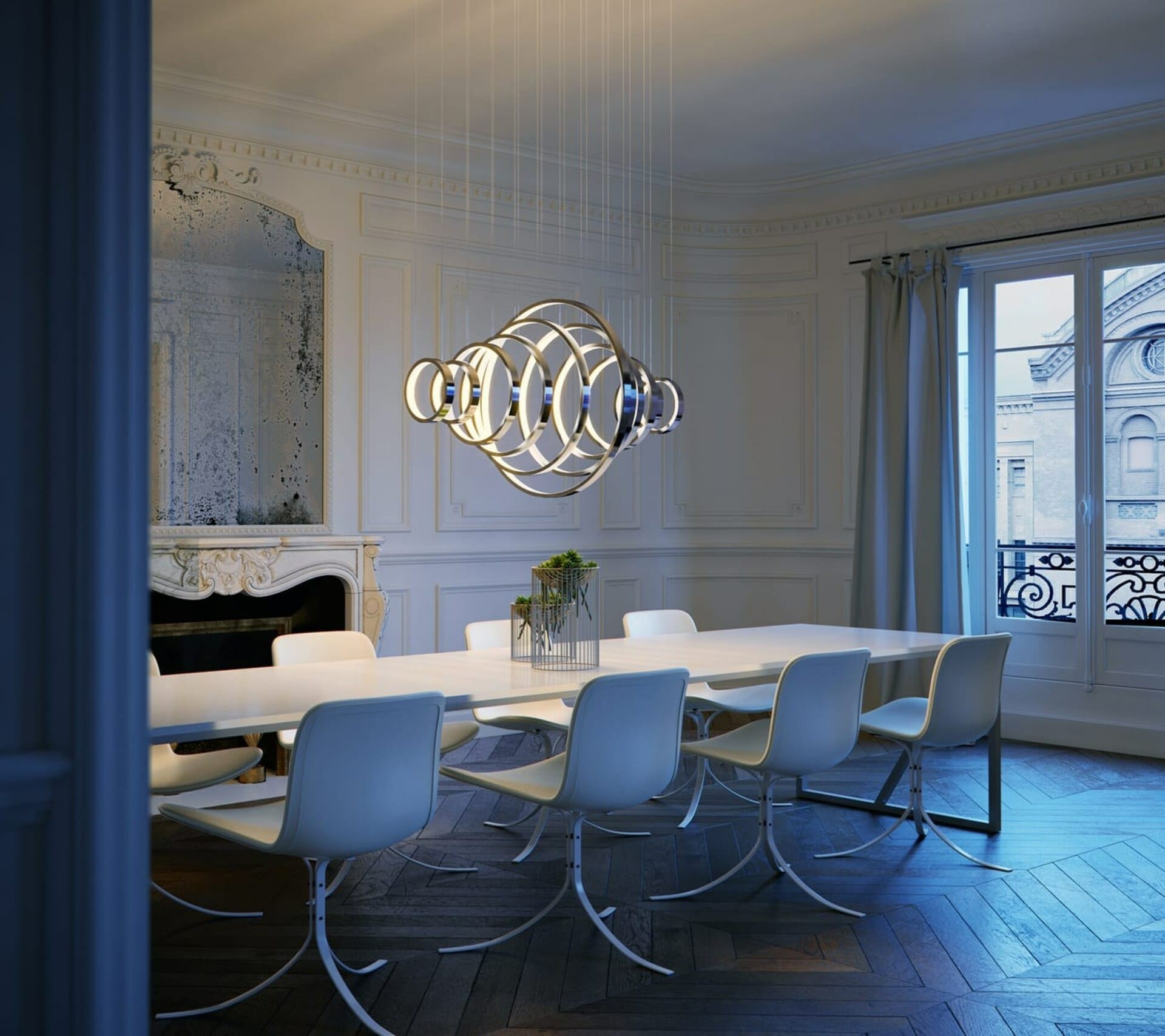
3D visualization has become an essential tool across various industries, revolutionizing the way we perceive, design, and interact with digital content. This technology has profoundly impacted fields like architecture, interior design, product design, media, and more. By creating realistic representations of objects, scenes, and concepts, 3D visualization facilitates clearer communication and understanding.
What is 3D Visualization?
3D visualization is the process of creating three-dimensional images or animations to communicate a message or present information visually. It involves using computer software to generate lifelike representations that can be manipulated and viewed from any angle. This technique enhances understanding and communication by providing realistic models and scenarios, making it easier to interpret more complex information and concepts.
Principal Aspects of 3D Visualization
The principal aspects of 3D visualization include visualization software, realistic visualization techniques, computer-generated imagery (CGI), realism and quality, and the management of time and resources. These components are crucial for producing high-quality visual content that meets the needs of various industries.
The Importance of 3D Visualization Software
Selecting the right 3D rendering software is vital for the success of any 3D visualization project. Popular software includes tools like 3ds Max, Maya, C4D, and Blender for modeling and animation, V-Ray for rendering, and Chaos Vantage for real-time visualization. These packages offer features such as advanced modeling tools, realistic lighting and texturing options, and powerful rendering engines, enabling the creation of high-quality visual content.
Choosing the Right Software
Choosing the right 3D visualization software depends on the project's requirements, the desired level of detail, and the intended use. Proper software selection can significantly impact the efficiency and quality of the final output, as some software is more suitable for specific tasks than others. For example, Blender might be preferred for its open-source flexibility, while V-Ray is renowned for its 3D rendering software capabilities.
Features of 3D Visualization Software
Visualization software not only provides tools for creating stunning visuals but also enhances the workflow through integrated features. These features often include user-friendly interfaces, extensive libraries of materials and textures (like Chaos Cosmos), and robust support for various file formats. This integration is crucial for maintaining a seamless design process, enabling artists and designers to focus on creativity rather than technical challenges.
Realistic Visualization Techniques
Achieving realistic 3D visualizations involves using techniques such as photorealistic rendering, global illumination, and physically based rendering (PBR). These methods are essential for creating lifelike images that enhance user experience and engagement. Realistic visualizations are particularly important in industries like architecture, where accurate representations of buildings and interiors are crucial for decision-making.
Enhancing User Engagement
High-quality, realistic visuals can significantly improve user engagement and satisfaction by providing a more immersive and convincing experience. This is especially true in fields like product design, where detailed visualizations can showcase a product's key features effectively, leading to better consumer understanding and higher conversion rates.
Understanding Light and Material
Realistic visualization techniques require a deep understanding of light behavior, material properties, and environmental factors. Artists and designers use these techniques to simulate real-world conditions, ensuring that the final visuals are as close to reality as possible. This attention to detail not only improves the visual appeal but also builds trust with clients and customers, who can see exactly what they are getting.
Ensuring Realism and Quality
Achieving realism in 3D visualizations involves meticulous attention to detail in modeling, texturing, lighting, and rendering. Techniques like global illumination and PBR are crucial. Photorealistic rendering techniques, such as ray tracing and global illumination, are essential for creating lifelike images, and high-quality visuals can significantly enhance user engagement and satisfaction. Check out these 11 Tips for Lighting Renderings to Boost Photorealism.
Impact on Emotional Marketing
In architecture, for instance, a realistic image or animation can evoke the right emotions to convince clients of the design’s qualities. Realistic visualizations also play a significant role in emotional marketing, where creating an emotional connection with the audience can lead to better customer retention.
Creating an Immersive Experience
Realism and quality are not just about visual fidelity but also about the overall user experience. High-quality visuals create an immersive experience that draws users into the content, whether it is a virtual tour of a new building or a product demonstration. This immersive experience is essential for maintaining user interest and ensuring that the visual content achieves its intended impact.
Managing Time and Resources
The time required for 3D visualization varies depending on the complexity of the project and the desired level of detail. Efficient workflow management and resource allocation are crucial to keeping the whole creation process cost-effective. Optimizing resources involves using the right software tools, efficient rendering techniques, and skilled personnel to balance quality and efficiency.
Resource Management in 3D Visualization
Resource management is a critical aspect of any 3D visualization project. It involves not only the selection of appropriate software but also the allocation of physical resources, such as high-performance computers and storage solutions. Effective resource management can significantly reduce the time-consuming aspects of the visualization process, allowing teams to focus more on creative and innovative tasks.
The Process of Creating 3D Visualization
Creating a 3D visualization involves several steps, from defining project scope and gathering resources to modeling, rendering, and post-processing. The process begins with establishing clear goals and requirements. For example, defining what an image should accomplish, such as selling a product or service, can greatly help in starting the project.
Gathering Resources and References: Gathering resources and references is the next step. Collecting necessary materials and references ensures accurate modeling, as the human eye is naturally trained to spot errors in familiar objects and scenes. This step is crucial in the design process, where every detail must be accurate.
Modeling and Texturing: Modeling and texturing come next. Creating detailed 3D models and applying textures is a meticulous task. No detail is too insignificant in a realistic visualization, so ensuring all models are accurate and detailed, and that materials are physically correct, is crucial. This step often involves using computer-aided design (CAD) software to ensure precision.
Lighting and Rendering: Lighting and rendering follow. Setting up lighting and rendering the scenes is essential for achieving realism. Render engines like V-Ray are great at calculating lights, shadows, reflections, etc., so it’s important to make the most of your rendering software. Real-time rendering capabilities can also enhance the workflow, providing immediate feedback on changes.
Post-Processing and Final Adjustments: The final step is post-processing and final adjustments. Refining the visuals in post-production is key to achieving the desired quality. Image editing tools and new AI tools can further elevate the quality of the images, ensuring they meet the project's standards.
CANTER CADD being ISO 9001:2015 certified, the best CAD training institute can make a candidate’s profile strong and eligible to grab the trending jobs in the market. Moreover, the courses are offered by highly skilled and trained professionals to offer valuable knowledge to the candidates.
Locate CANTER CADD – The Best ansys Training Institute in Hyderabad-Mehdipatnam-Ameerpet-Himayatnagar-Dilsukhnagar-Habsiguda-Boduppal-ECIL-Santoshnagar-Chandanagar-Alwal-Kukatpally-Secunderabad-Warangal-Hanamkonda, Bangalore-Marathahalli-BTMLayout-Electronic City-Yelahanka-Banashankari-JPNagar-Srinagar-Hulimavu-Chamrajpet-Horamavu-Vidyaranyapuram, Andhra Pradesh-Guntur-Nellore-Kurnool-Rajahmundry-Tirupati-Dwarakanagar-Vizag-Vijayawada, Delhi NCR-LaxmiNagar-RajendraPlace-Rohini-Adhchini-Kalu-Sarai-, Pune-Akurdi, Tamil Nadu-Coimbatore, Uttar Pradesh--Gazhiabad-Meerut, Kerala, , Mumbai, Nagpur.