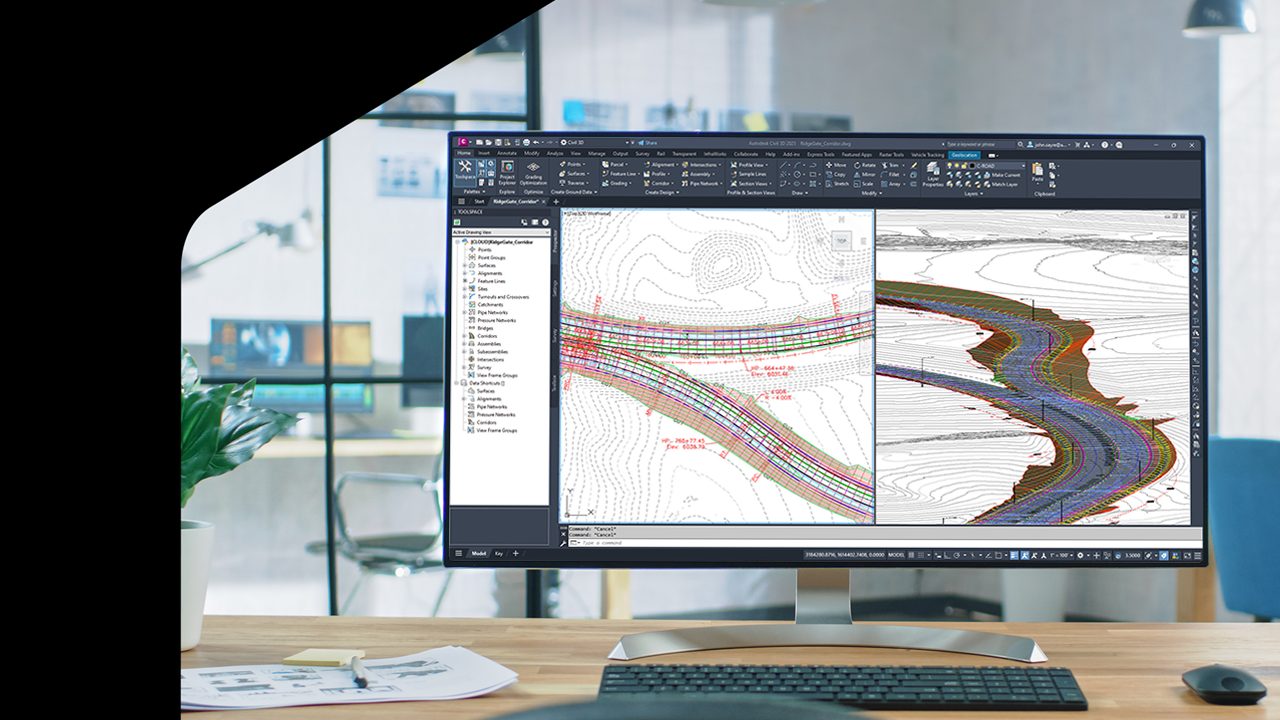
Save time and enhance civil engineering design with user-driven improvements and key integrations
From faster performance in corridors and surfaces to enhanced features for roadway and rail design, Civil 3D 2025.1 brings more improvements than ever to make your work more efficient.
And that is all thanks to you: Nearly all these improvements were driven by your feedback and ideas. At Autodesk, your input drives our innovation and helps us align improvements with your design priorities. Check out the AEC Roadmaps for what’s next in Civil Infrastructure! Read on to learn how Civil 3D 2025.1 can save valuable time and increase efficiency for infrastructure project design.
Design civil engineering projects faster with corridor and surface improvements
We’re continuing to deliver your top request. Performance enhancements for corridors and surfaces speed up data processing to reduce wait time between tasks. In corridors, upgraded grip editing and object snap tools are faster and more responsive. With object snap on, movements on a large corridor are now 20 to 80 times faster in Civil 3D 2025.1 compared to previous versions.
We’ve also integrated your ideas to make workflows faster and easier. In surfaces, you no longer have to make sure the current style shows the display component required by the editing tool you need to use; the style updates for you. You can sort entries alphabetically in the grading Volumes Dashboard. Faster movements, fewer clicks, and less time spent waiting can save hours in a complex project’s design.
Automate design tasks with Dynamo for Civil 3D
Dynamo for Civil 3D just got a whole lot more powerful. In this release, there are over 1,100+ new nodes for working with alignments and profiles, corridors, surfaces, pipe networks, feature lines, and more. You can now automate more time-consuming and complex design tasks like creating multiple corridors, extracting solid layers from terrain surfaces, or automatically annotating multiple design elements at once.
We’ve also taken great strides to make Dynamo easier to learn. There is a fresh set of new sample graphs to jumpstart your Dynamo learning and give you inspiration for your next project. We’ve reorganized the node library to make it easier to find nodes and updated every node with better descriptions and tooltips.
Lastly, Dynamo Core has been updated to version 3.2.2, bringing you a refreshed homepage, workspace templates, new paneling nodes, and more. Read more about the major updates on the Dynamo blog. The expanded library of nodes, new sample graphs, and improved documentation allow users of all skill levels to benefit from Dynamo’s powerful automation routines in order to save time, optimize designs, and make quicker design decisions.
Collaborate on survey databases
Enjoy more effective collaboration on survey data with this release. Survey databases are now supported in Autodesk Collaboration for Civil 3D.
No more data silos or time-consuming workarounds required. Survey team members can upload, work in, sync data, and manage access to survey database files directly through Autodesk Collaboration for Civil 3D.
Streamline roadway and rail design with expanded functionality
We’ve enhanced existing Civil 3D features to make roadway and railway design more efficient.
Improved Profile View Bands allow the ability for users to choose another alignment to display the horizontal geometry adjacent to the parent alignment of the profile within the existing band type. The updated Project Explorer allows export of geometric data to JSON format files and use of a sample line group to display and export alignment information.
Extended parameters in the Cant Tabular Editor give designers more control over CANT values. New design parameters include Curve Radius, Equilibrium CANT Gradient, Equilibrium CANT Vertical Speed, CANT Deficiency Gradient, CANT Deficiency Vertical Speed, and Horizontal Speed (Design Speed).
This enhancement eliminates manual steps and makes it easier for railway designers to determine the CANT situation over track geometry. Turnout improvements include RailEngine expression engine now supports creating spirals in turnout diverted alignment. Additionally, users can add a turnout side parameter, allowing the designer to add side property for turnout and generate tables for construction.
Spotlight on Civil 3D integrations
Visualize GeoDin Data in Civil 3D
Autodesk partnered with GeoDin to bring geotechnical data into Civil 3D. Upload GeoDin export files with one click and use the Geotechnical Modeler to visualize borehole details such as coordinates, final borehole depths, lithological ground units with layer descriptions, and borehole orientation. Learn more about this exciting new capability.
CANTER CADD being ISO 9001:2015 certified, the best CAD training institute can make a candidate’s profile strong and eligible to grab the trending jobs in the market. Moreover, the courses are offered by highly skilled and trained professionals to offer valuable knowledge to the candidates.
Locate CANTER CADD – The Best ansys Training Institute in Hyderabad-Mehdipatnam-Ameerpet-Himayatnagar-Dilsukhnagar-Habsiguda-Boduppal-ECIL-Santoshnagar-Chandanagar-Alwal-Kukatpally-Secunderabad-Warangal-Hanamkonda, Bangalore-Marathahalli-BTMLayout-Electronic City-Yelahanka-Banashankari-JPNagar-Srinagar-Hulimavu-Chamrajpet-Horamavu-Vidyaranyapuram, Andhra Pradesh-Guntur-Nellore-Kurnool-Rajahmundry-Tirupati-Dwarakanagar-Vizag-Vijayawada, Delhi NCR-LaxmiNagar-RajendraPlace-Rohini-Adhchini-Kalu-Sarai-, Pune-Akurdi, Tamil Nadu-Coimbatore, Uttar Pradesh--Gazhiabad-Meerut, Kerala, , Mumbai, Nagpur