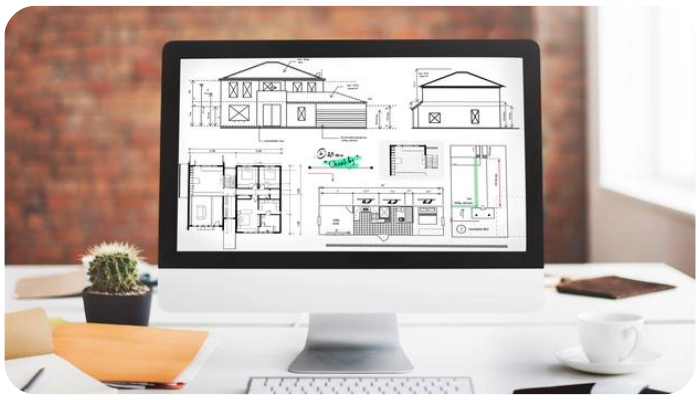
AutoCAD has long been a staple in the toolkit of architects, engineers, and designers. Each year, Autodesk releases updates that aim to make AutoCAD faster, smarter, and more user-friendly. The 2024 update is no exception, with enhancements that boost productivity, improve collaboration, and offer a more intuitive design experience. Here’s a look at some of the standout features in the latest version of AutoCAD.
In the world of design, engineering, and architecture, AutoCAD is an industry-standard tool that has redefined how professionals visualize, plan, and execute projects. Developed by Autodesk, AutoCAD is a robust computer-aided design (CAD) software that enables users to create precise 2D and 3D drawings, manage workflows, and bring ideas to life with unparalleled detail and accuracy.
Why AutoCAD is Essential
AutoCAD has been around since 1982, evolving from a simple 2D drawing tool to a sophisticated design powerhouse. Today, it’s used by millions of professionals across fields, from architects and civil engineers to interior designers and urban planners. Its versatility allows it to cater to both simple drafting needs and complex design projects, all while maintaining user-friendly interfaces and powerful customization options.
Latest AutoCAD Update: 2024 Edition
The most recent AutoCAD 2024 release brings significant enhancements that further improve productivity and collaboration, including:
Macro Advisor to automate repetitive tasks.
Activity Insights for tracking design changes within a team.
Enhanced Count Tool for more accurate tracking and auditing of objects in a drawing
1. My Insights: Macro Advisor
One of the standout new features in AutoCAD 2024 is the Macro Advisor, which is part of the "My Insights" panel. The Macro Advisor uses machine learning to study your workflows and offers suggestions for automating repetitive tasks. If you frequently perform a series of steps in a certain order, the Macro Advisor can create a macro for those tasks, saving you time and effort in the long run. This feature is perfect for users who want to speed up their processes without delving too deeply into programming.
2. Smart Blocks: Replacement and Placement
With the Smart Blocks feature, AutoCAD makes it easier to insert, replace, and align blocks within a design. The Block Placement tool offers intuitive suggestions for placing blocks based on nearby objects, making it much simpler to organize and arrange design elements. Meanwhile, the Block Replacement feature allows you to replace existing blocks with new ones quickly, without disrupting the overall layout of your drawing. These improvements save time on layout modifications and help maintain consistency in your designs.
3. Activity Insights
Collaboration just got a major boost with Activity Insights. This feature enables you to track changes made to a drawing, so you’re always aware of who did what, when. Whether you're working on a project with a team or sharing files with clients, Activity Insights gives you a clear view of the design’s progress and any adjustments. This feature is especially useful for distributed teams, where visibility into file activity is critical for smooth collaboration.
4. Push to Autodesk Docs
AutoCAD 2024 makes it easier than ever to integrate with Autodesk’s cloud platform with the Push to Autodesk Docs feature. This allows users to quickly save and access DWG files directly from Autodesk Docs. It’s a time-saver for teams working across different locations, as everyone can easily view and access the latest files without searching through email threads or shared drives. Autodesk Docs also provides secure cloud storage, which protects your files and enables collaboration from any device.
5. Improved Count Tool
The Count Tool was introduced in previous versions of AutoCAD, but in 2024, it has been refined for greater accuracy and ease of use. The tool now automatically counts blocks or objects within a specific area of your drawing, providing totals quickly without manual counting. This feature is particularly useful for large-scale projects, helping users accurately track quantities and ensure the correctness of their data. The Count Tool now supports dynamic counting, so any changes made to your drawing update the count instantly.
6. Web and Mobile Enhancements
AutoCAD has been improving its mobile and web platforms over the past few years, and the 2024 release adds even more features for users on the go. The Web App now includes additional editing tools, while the Mobile App has improved file synchronization, making it easier to work on drawings from anywhere. These enhancements mean you don’t have to be tied to your desktop to get work done, giving you greater flexibility and accessibility to your files.
7. Floating Windows
For multitaskers, the Floating Windows feature introduced in previous versions has been further optimized in 2024. This feature allows users to open multiple drawings in separate windows on the same screen or across multiple monitors. With improved performance and smoother window transitions, Floating Windows are now faster and more stable, making it easier to compare, edit, and manage multiple drawings simultaneously.
8. Enhanced Performance and Stability
AutoCAD 2024 also brings under-the-hood improvements, with a focus on speed, stability, and overall performance. Users can expect faster load times, smoother transitions, and fewer disruptions. Whether you’re working on a small 2D sketch or a massive 3D model, the 2024 version delivers a more seamless experience, even on complex tasks.
CANTER CADD being ISO 9001:2015 certified, the best CAD training institute can make a candidate’s profile strong and eligible to grab the trending jobs in the market. Moreover, the courses are offered by highly skilled and trained professionals to offer valuable knowledge to the candidates.
Locate CANTER CADD – The Best ansys Training Institute in Hyderabad-Mehdipatnam-Ameerpet-Himayatnagar-Dilsukhnagar-Habsiguda-Boduppal-ECIL-Santoshnagar-Chandanagar-Alwal-Kukatpally-Secunderabad-Warangal-Hanamkonda, Bangalore-Marathahalli-BTMLayout-Electronic City-Yelahanka-Banashankari-JPNagar-Srinagar-Hulimavu-Chamrajpet-Horamavu-Vidyaranyapuram, Andhra Pradesh-Guntur-Nellore-Kurnool-Rajahmundry-Tirupati-Dwarakanagar-Vizag-Vijayawada, Delhi NCR-LaxmiNagar-RajendraPlace-Rohini-Adhchini-Kalu-Sarai-, Pune-Akurdi, Tamil Nadu-Coimbatore, Uttar Pradesh--Gazhiabad-Meerut, Kerala, , Mumbai, Nagpur.